
 English
 Русский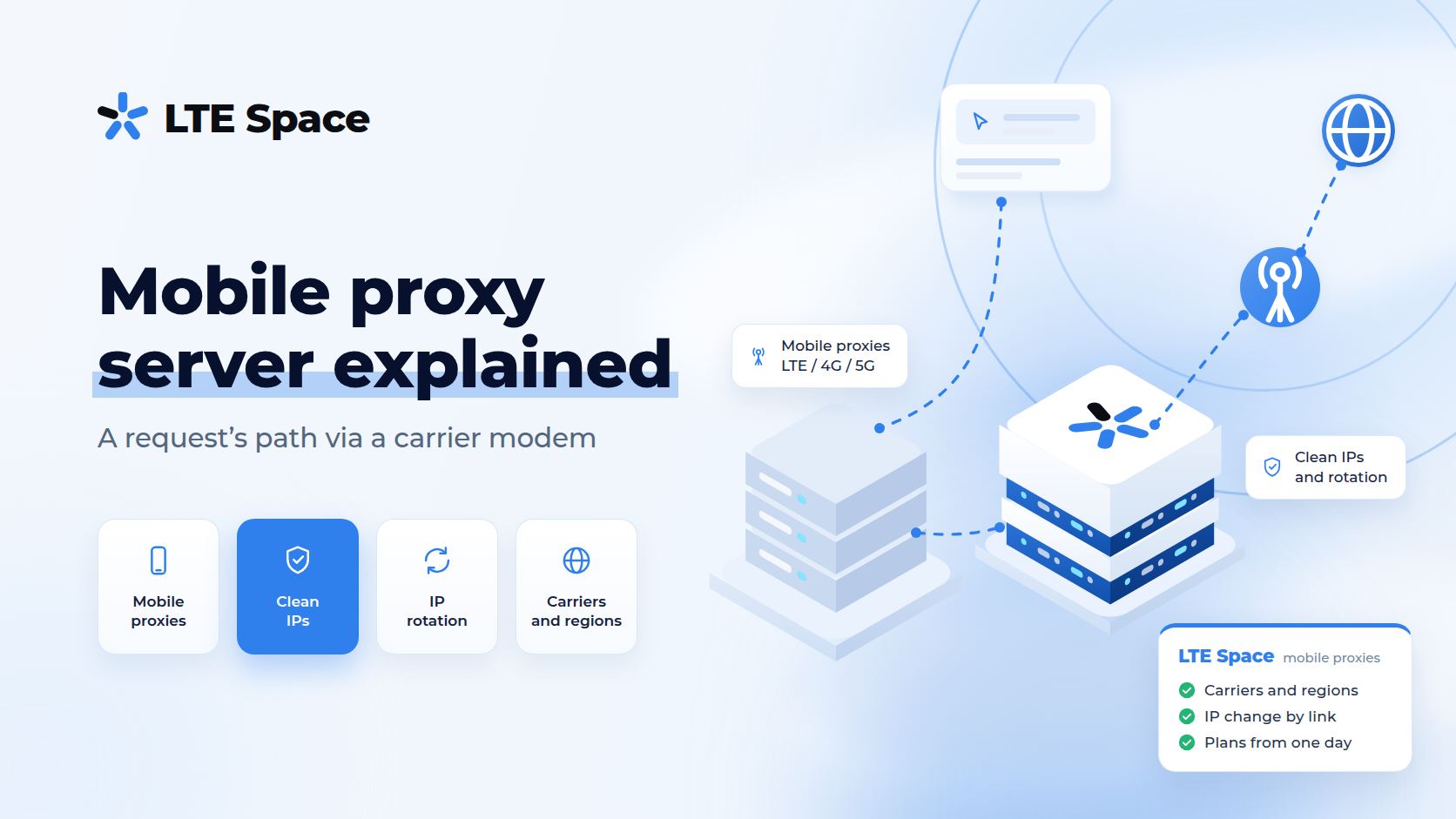
A mobile proxy server is an intermediary between a program and a website that sends requests to the internet through a modem with a mobile carrier’s SIM card. The website receives the request from a cellular network address, just like from an ordinary subscriber on a smartphone, and never sees the real address of the connection. In 2026 mobile proxies are used for accounts, advertising, search result checks and data collection — for any task where a platform looks at where a visitor came from.
What a proxy server is
Every proxy server follows the same pattern: it accepts a request from a browser or program, contacts the website itself and passes the response back. The website talks only to the proxy and sees its address. Types of proxies differ in the network the server uses to reach the internet:
- datacenter — a data centre’s line, with the address registered to a hosting company;
- residential — a home internet provider’s connection;
- mobile — a cellular network, with the address registered to a carrier.
The owner of the address is what decides how a platform treats the visitor. The first and last types are compared in detail in mobile and datacenter proxies: the difference.
What a mobile proxy server consists of
- entry point — a server with an address and port that the client’s program connects to. It checks the login and password and routes the request to the right channel;
- modem with a SIM card — a device that holds the connection to the carrier’s network. Traffic reaches the internet through it;
- carrier network — assigns the modem an external address. Carriers let many subscribers out to the internet through a shared address; how this works is explained in CGNAT in mobile proxies;
- control panel — where channels are bought and renewed, IP changes are configured and connection details are collected.
How a request travels through a mobile proxy
- The browser or program sends the request not to the website directly but to the proxy server’s address and port, together with a login and password.
- The server checks access and hands the request to the modem of the chosen channel.
- The modem sends the request into the carrier’s network, and the carrier releases it to the internet from its external address.
- The website replies to that address, and the response travels back the same way: through the carrier, the modem and the server to the program.
For the user it looks like ordinary browsing, only the response time is slightly longer than on a wired line, because the request passes through a cellular network.
What the website sees
From the request’s address a website learns:
- the network owner — a carrier, not a hosting company;
- the country and approximate region — from databases that map addresses to locations;
- the connection type — mobile internet.
Hundreds of real subscribers use one mobile address at the same moment, so blocking it hurts real people, and platforms are reluctant to do it.
The website does not get the real address of the connection. But a proxy replaces only the address: the browser fingerprint, cookies, time zone and system language stay your own. If they contradict the address, the platform notices — see how websites detect mobile proxies and browser fingerprint: how it works. A leak of the real address through the browser is closed by disabling WebRTC.
How the IP changes
The external address is issued by the carrier, so to change the IP the modem reconnects to the network and receives another address from the carrier’s pool. LTESpace channels do this in three ways:
- on a timer — the address changes by itself at a set interval: every 2 or 5 minutes on a shared channel, and every 1 to 60 minutes on a private one;
- by link — on a private channel the address changes the moment a special link from the panel is opened;
- per connection — with multiport, every new connection goes out through a different address.
While the modem reconnects, the channel goes quiet for a few seconds; the “without waiting” plans remove this pause. How to pick an interval without losing the session is covered in mobile proxies with rotation.
Connection details
After payment, access details for the channel appear in the control panel:
- server address and port;
- login and password;
- protocol — HTTP(S) or SOCKS5.
They go into the settings of a browser, an antidetect browser or a program. HTTP(S) is understood by browsers and almost any software; SOCKS5 carries arbitrary connections and suits bots and clients with their own protocol. Step by step — in set up mobile proxies in Google Chrome; choosing a protocol — in HTTP, HTTPS and SOCKS proxies: the difference.
Types of mobile proxies
- shared — several clients use one channel, the address changes on a timer; suits search result checks, monitoring and scripts;
- private — the channel goes to one client, the IP changes by link or on your own timer; suits accounts and long sessions, more in private mobile proxies;
- multiport — a new address for every connection, for parallel data collection, see multiport mobile proxies;
- multiregion — addresses from different regions of Russia, changing every 2 minutes.
Mobile proxies are also called 4G and LTE proxies: it is the same product, and what the generations of mobile networks mean in practice is explained in LTE proxies.
How to check that the proxy works
- Connect the proxy in the browser or program.
- Open any IP lookup service: it should show the address and the name of a mobile carrier in the right country.
- Check that the browser does not reveal the real address through WebRTC.
- Visit the website you are going to work with and make sure it opens without a captcha or errors.
All of this can be done before paying: the test is free, and a test proxy is issued for 2 hours. To get one, sign up and message support.
How much a mobile proxy server costs
LTESpace prices for channels in Russia for 30 days, September 2026:
- Shared and Multiport — ~$8 each;
- Multiregion — ~$11;
- Shared without waiting — ~$16;
- Private — ~$39.
Traffic is unlimited, the minimum rental is one day, and a shared channel costs ~$1.6 per day. Besides Russia, Czechia, France, Georgia, Portugal and the USA are available, see mobile proxy geography. Free channels and the final price are shown by the calculator in the LTESpace plans.
Summary
A mobile proxy server takes a program’s requests and lets them out to the internet through a modem with a carrier’s SIM card, so the website sees an ordinary mobile address rather than a server. The IP changes on a timer, by link or per connection, and you connect with a login and password over HTTP(S) or SOCKS5. Choose a mobile proxy server by country, channel type and IP change mode, and try it on the free two-hour test.